
A building-monitoring team needed BACnet data pushed from a QuickServer into a Senseware cloud workflow, but the live deployment was stuck with dropped updates, DNS resolution failures, and a configuration-save path that could reboot the device into recovery mode. Chipkin QuickServer still provided the BACnet-to-cloud bridge, and Chipkin support helped separate the network problem from the configuration workflow problem so the customer had a repeatable path back to working updates.
This case is useful because it reflects a common reality in cloud-connected building integrations: the protocol handoff can be conceptually simple while the deployment still fails on network dependencies and configuration tooling. The value came from identifying the actual fault domains instead of treating every symptom as a BACnet issue.
At a Glance
- Industry: IoT / building monitoring
- Customer: Cloud building-monitoring deployment team
- Facility type: Distributed building sensor and monitoring rollout
- Client role: CTO and deployment engineers
- Project scale: One QuickServer deployment syncing BACnet building data to a cloud monitoring endpoint
- Protocols: From: BACnet -> To: Senseware cloud API
- Chipkin product: Chipkin QuickServer Build 1528
- Primary technical issues: DNS resolution failure, dropped updates, configuration-save workflow fault
- Project start: April 2023
- Internal reference: FSE15831
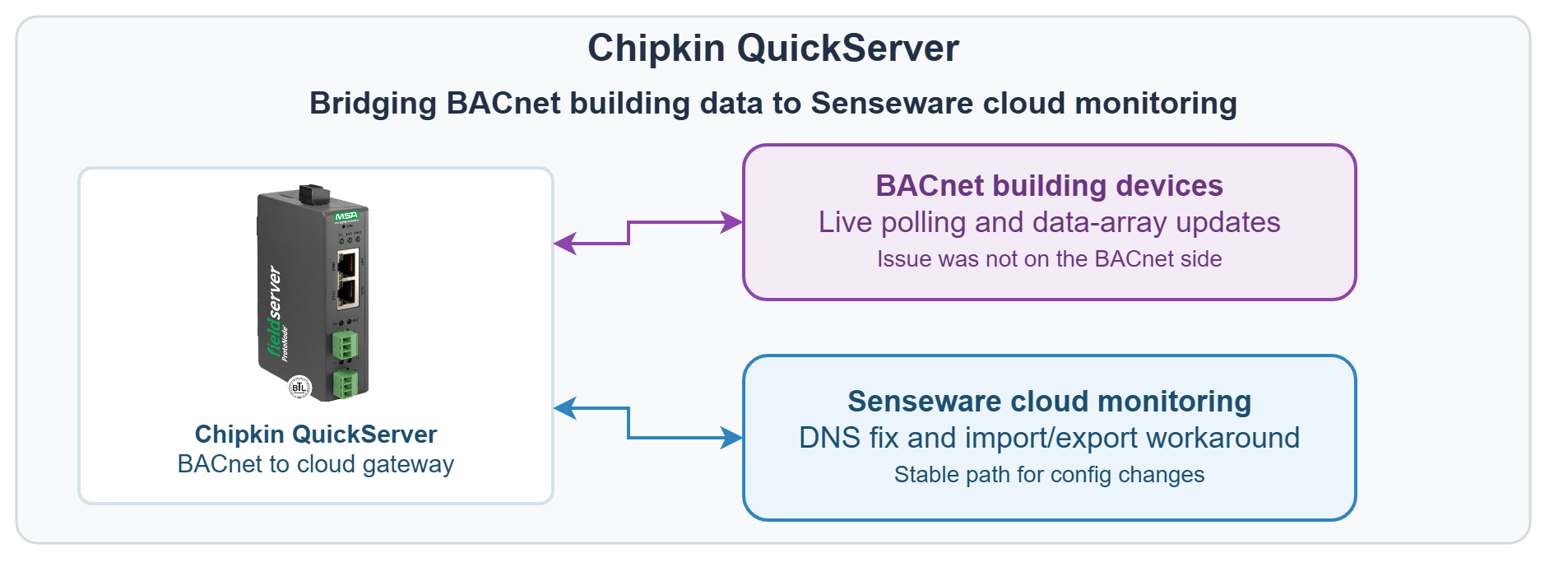
BACnet building devices -> Chipkin QuickServer -> Senseware cloud monitoring
BACnet to Senseware Challenge
The upstream/server side of this project was a BACnet-connected building monitoring environment. The downstream/client side was a Senseware cloud workflow that needed reliable updates from the QuickServer.
At first, the deployment looked like a generic connectivity problem. The customer could manually reach the cloud endpoint, but the live QuickServer showed dropped packets and the data array age kept increasing instead of resetting as new values were polled. That pointed to a system that looked connected from one angle and stalled from another.
The support trail eventually showed two separate issues. One was network-related: the QuickServer could not reliably resolve the cloud hostname when DNS settings inherited from the customer environment were wrong. The other was operational: editing and saving the configuration from the web interface could trigger a recovery-mode restart, so even a correct integration path still needed a safer workflow for changes.
Why Chipkin
This project fit Chipkin because it needed both protocol knowledge and deployment troubleshooting. The customer did not need a generic statement that BACnet could be sent to the cloud. They needed a way to prove whether the problem lived in BACnet polling, cloud reachability, DNS, firmware behavior, or the configuration workflow.
Chipkin support added value by reproducing the behavior locally, reading the diagnostic logs directly, and turning a vague cloud-sync failure into concrete next actions: fix DNS resolution, verify live requests to the cloud endpoint, and use the import/export configuration path as a stable workaround until the web save path was no longer the blocker.
The Solution: QuickServer BACnet to Cloud Bridge
Chipkin reviewed diagnostic logs from the live device and confirmed the QuickServer configuration could update values when the environment was correct. The next step was isolating why the cloud sync path failed in the field.
The diagnostics showed the live deployment was not reliably resolving the Senseware hostname. Chipkin recommended using known-good DNS servers and checking whether DHCP renewal was overwriting the expected network settings. That turned the dropped-update symptom into a specific network fix instead of a general BACnet troubleshooting loop.
The team then addressed a second blocker: saving the Senseware configuration from the web interface could fault the QuickServer into recovery mode. Chipkin reproduced that behavior, documented it clearly, and gave the customer a working import/export configuration workflow so the system could still be updated without waiting for the UI path to behave perfectly.
For another building-to-cloud integration using QuickServer, see the BACnet/IP to MQTT Multi-Building Cloud Monitoring case study.
Cloud Monitoring Results
The project delivered a workable BACnet-to-cloud integration path and, just as importantly, a clearer support model for maintaining it.
Project proof points:
- The root network issue was narrowed to DNS resolution, not a generic BACnet communications failure.
- Chipkin reproduced the field behavior locally, which reduced guesswork and made the next fixes concrete.
- A stable import/export workflow gave the customer a practical way to update the configuration when the web save path was unreliable.
- The QuickServer cloud-sync deployment was returned to a usable state with a repeatable troubleshooting method for future changes.
Before: the team had a cloud-connected QuickServer deployment that showed dropped updates, inconsistent live behavior, and an unreliable save workflow. After: the team had a diagnosed DNS issue, a documented workaround for configuration changes, and a working path for keeping BACnet data flowing into the cloud service.
One customer reply captured the outcome of the workaround clearly:
“I figured it out, i was uploading at the wrong location. All good now.”
— CTO, cloud building-monitoring deployment team
Have a Similar BACnet-to-Cloud Project?
Need to move BACnet building data into a cloud monitoring workflow without losing time to DNS, network, or configuration-edge failures? Chipkin can help with QuickServer configuration, diagnostic review, and protocol-to-cloud deployment support. Tell us about your project.
Frequently Asked Questions
Can QuickServer send BACnet data to a cloud monitoring platform?
Yes. This deployment used Chipkin QuickServer to bridge BACnet building data into a cloud monitoring workflow instead of stopping at a local-only integration.
Can DNS settings break a BACnet-to-cloud integration even if the endpoint looks reachable manually?
Yes. That was a core lesson in this project. The customer could reach the endpoint in one context, but the QuickServer still failed to resolve the cloud hostname correctly during live operation until the DNS path was fixed.
What if the web interface save path is unstable during commissioning?
Use a validated import/export workflow if one is available. In this project, Chipkin documented a configuration-import workaround so the customer could keep moving while the web save behavior was being isolated.