
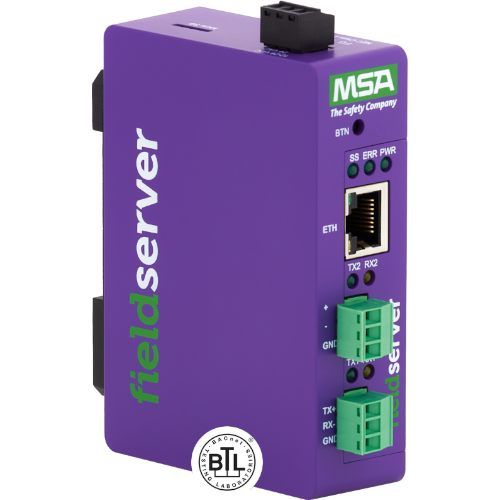
SBT-FSI to BACnet/IP QuickServer Gateway
FS-QS-…-0187 · 12 models
- Siemens MXL/XLS
- BACnet/IP
Publishes panel events as BACnet objects. Leave BACnet/IP ticked and untick Modbus/TCP in step 3.
View product →It turns a Siemens XLS panel-database XML export into a ready-to-load FieldServer QuickServer configuration CSV — the file you upload to the gateway to publish fire-panel events on Modbus/TCP and BACnet/IP.
Ask the Siemens technician for the panel-database export and drop it in. The tool walks the panel tree, finds every XDLC device-loop card and Pseudo Module, sorts each device into its event category (alarm, trouble, supervisory), and writes both sides of the configuration: the Cerberus/XLS client side that polls the panel, and the Modbus/TCP and BACnet/IP server sides that publish it. Column names and legal values follow the FS-8700-40 driver manual, so the result loads into FieldServer Toolbox without hand-editing.
Nothing is uploaded. Parsing and generation run entirely in your browser;
the panel database never leaves your machine.
Scope: XLS (Desigo Fire Safety Modular) panels. MXL exports generate a
warning because the connection settings differ, and security (SEC) points still need
Secur map descriptors added by hand —
talk to us if you need either.
The generated CSV targets the FieldServer QuickServer. The part number decides which protocols the gateway can serve, so pick the model that matches the downstream network — then set the Server protocols checkboxes in step 3 to match it. A BACnet section will not load on a Modbus-only gateway, or the reverse. Each model comes in twelve capacities from 250 to 10,000 points.
FS-QS-…-0187 · 12 models
Publishes panel events as BACnet objects. Leave BACnet/IP ticked and untick Modbus/TCP in step 3.
View product →FS-QS-…-0707 · 12 models
Serves panel events as Modbus holding registers over Ethernet. Leave Modbus/TCP ticked and untick BACnet/IP in step 3.
View product →FS-QS-…-0073 · 12 models
Serial Modbus rather than Ethernet. This tool generates the Modbus/TCP server side only — the RTU variant needs a serial connection block adding.
View product →.xml or .txt files holding the Siemens XLS panel database export
(<System Type="XLS"> root). Parsing happens locally in your browser — nothing is uploaded.
Don't have the XML? Ask the Siemens technician or integrator for the panel-database export from the
XLS programming tool, or request it through the Siemens branch that commissioned the panel.
Background: Siemens XLS / Cerberus protocol guide
and the FS-8700-40 SBT-FSI driver manual (PDF).
FileHeader, with the Siemens tool and database versions.XLS (Desigo Fire Safety Modular). MXL exports generate a warning — connection settings differ.Node elements found. Each becomes a client-side Node with Node_ID = panel address. Confirm the panel count with the site — missing panels are the most common intake gap on XLS projects.Block_Number = module address. Pseudo Modules hold software points (system bypasses, alarm-sequence flags, door/speaker control) that the panel raises events for; they are served the same way as field devices.
Choose which blocks and event categories are read from the panel and served downstream —
use this to stay inside the QuickServer's licensed point count (often only Alarms are needed).
Register and object numbers of the remaining points do not move: a deselected
set's addresses stay reserved, so re-including it later never renumbers a commissioned site.
Status serves devices with no ALM/TBL/SUP event type via a Status
map descriptor (FS-8700-40 §5.3.2); it is off by default.
| Panel | Block | Label | Description |
|---|
One row per Device under each mapped block. Event is the panel event category
(ALM fire alarm, SUP supervisory, SEC security, TBL trouble);
devices without an event type (relays, sounder circuits) are not monitored points.
The event location format on the wire is Panel^Block^Sub-module^Address^Component —
see the driver manual, section 7.10.
| Panel | Block | Addr | Type | Event | Description | Mapped |
|---|
Defaults follow Chipkin's SBT-FSI field conventions (the serial link to the panel is fixed by Siemens at
19200,E,7). Replace FSE##### in the title with your project's FSE number.
The QuickServer CSV loads into the gateway via the configuration file upload workflow. The Register map CSV is the cross-reference to hand to the BMS or PLC integrator, listing every served point with its Modbus register and BACnet object. Always bench-test a generated config before commissioning.