
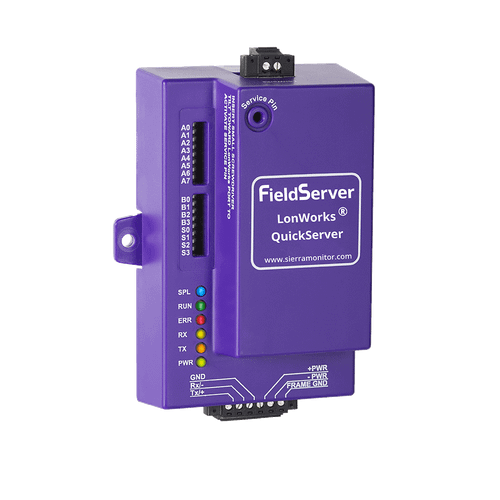
LonWorks to BACnet QuickServer Gateway
FS-QS-1XX1-0305
- LonWorks
- BACnet/IP
Publishes LonWorks network variables as BACnet objects. Pair with this tool's BACnet/IP CSV output.
View product →It turns a LonWorks XIF device-interface file into a ready-to-load FieldServer QuickServer configuration CSV — the file you upload to the gateway to expose a LonWorks device on BACnet/IP or Modbus/TCP.
Point it at the XIF that shipped with your device. It reads every VAR record,
resolves each network variable's SNVT type, expands structured SNVTs
(SNVT_switch, SNVT_chlr_status, SNVT_time_stamp…)
into individual points, lays out the data arrays, and writes both sides of the
configuration: the LonWorks client map descriptors that poll the device, and the
BACnet/IP or Modbus/TCP server map descriptors that publish it. Column names and
legal values follow the FieldServer driver manuals, so the result loads into
FieldServer Toolbox without hand-editing.
Nothing is uploaded. Parsing and generation run entirely in your browser; the XIF never leaves your machine. Scope: one LonWorks device per configuration. Multi-device configurations, SCPT/UCPT config files, and BACnet MS-TP / Modbus RTU server sides are not generated — talk to us if you need them.
The generated CSV targets the FieldServer QuickServer.
FS-QS-1XX1-0305
Publishes LonWorks network variables as BACnet objects. Pair with this tool's BACnet/IP CSV output.
View product →FS-QS-1XX1-0154
Serves LonWorks data as Modbus holding registers over Ethernet. Pair with the Modbus/TCP CSV output.
View product →FS-QS-1XX1-0085
Serial Modbus rather than Ethernet. This tool generates the Modbus/TCP server side only — the RTU variant needs a serial connection block.
View product →.xif or .txt files — both hold the same XIF text.
Single file. Parsing happens locally in your browser.
Don't have a XIF? Use Load example XIF above to try the tool with a
sample MicroTech II rooftop controller, or Download example XIF to inspect the format.
Most manufacturers ship a XIF with the device, but if the file is missing you can extract one live from the device.
See How To Obtain A XIF
for the four practical methods (commissioning database export, manufacturer request, NodeUtil live extraction, gateway-based extraction).
VAR records in the XIF. Compared against the header's declared static-NV count for a sanity check.
One row per VAR record in the file. Slots is the number of consecutive data-array slots the variable consumes; complex SNVTs like
SNVT_switch (2 slots), SNVT_chlr_status (3), SNVT_time_stamp (6), and SNVT_str_asc (31) consume more than one.
See SNVT Reference and XIF Mapping Guide.
Untick a network variable to leave it out of the generated configuration — use this to stay inside the QuickServer's licensed point count. Offsets and object numbers of the remaining points do not move: an excluded variable's addresses stay reserved, so re-including it later never renumbers a commissioned site.
| Name | Index | Dir | SNVT idx | SNVT name | Slots |
|---|
Most defaults below are safe. Always set the Neuron ID from the actual device label or a
live XIF extract.
Replace the trailing FSE##### in the title with your project's FSE number.